
401 vs 403

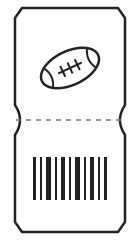
You bought a ticket to the big game.
Here's what can go wrong.

football ticket

Both mean you can't access the resource, but for different reasons. One is about proving who you are. The other is about what you're allowed to do.

What status code did you get?

Note: a 403 error doesn't always mean authentication succeeded. Some services return it for security policies or other access restrictions.

401

Stopped at the gate.

Unauthorized. The guard can't verify your ticket. Maybe it's one for last week's game. Or you tried to use a fale one. The server can't authenticate your request, so you never get in.
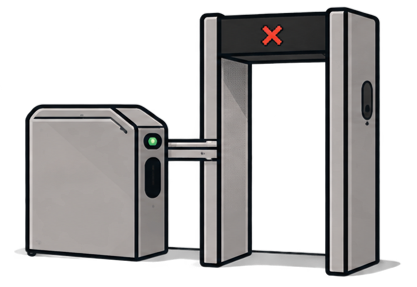
Stadium security entrance with a ticket checkpoint

Start debugging 401 error

  • Read the response.

    Check the response body and the WWW-Authenticate header.

  • Is the ticket shown?

    Confirm the credential is being sent. Check with curl -v for empty environment variables or dropped headers.

  • Is it the right ticket?

    Check the header name, authentication scheme (Bearer vs Basic), and stray spaces.

  • Is it still valid?

    Look for expired tokens, revoked keys, or credentials for the wrong environment.

403

Blocked at the suites.

ForbiddenYour ticket scans fine, but it's only good for your section. The server recognizes you, but you don't have access to the VIP suites.

Stadium VIP suites entrance with a restricted access sign

Start debugging 403 error

  1. Does your ticket work elsewhere?

    Try an endpoint you know you can access. If it works, investigate authorization for this resource.

  2. Check your section.

    Review the scopes, roles, and permissions required for this resource.

  3. Check the gates.

    Look for IP allowlists, VPN requirements, WAF rules, or a missing User-Agent.

  4. Read the fine print.

    Check resource policies, plan limits, suspended accounts, and whether you're seeing a real 403 or a browser CORS issue.

Last updated: October 2026

A few tools worth keeping handy

curl -i / -v

See what you're sending and what's coming back.

Postman

Tweak requests and try again.

jwt.io

Take a peek inside your JWT.

Network tab

See what your browser is really sending.

API logs

Find out what happened on the server's side.